Bioma
Every Gmail account, Microsoft Teams and the Boldo apps, in one desktop app.
Mail, Teams and Alinhain one window
Bioma is the desktop app the Boldo team works in all day, on Mac and Windows. Its heart is a fast, keyboard-first mail client for Gmail: every account in one place, smart tabs, snooze, an undo for every action and drafts that never get lost.
Next to the mail, on the same side rail, are Microsoft Teams, with Boldo's look, and Alinha, with a badge for late items. More Boldo apps are on the way.
Boldo's team. You sign in with your Boldo Account.
What livesin Bioma


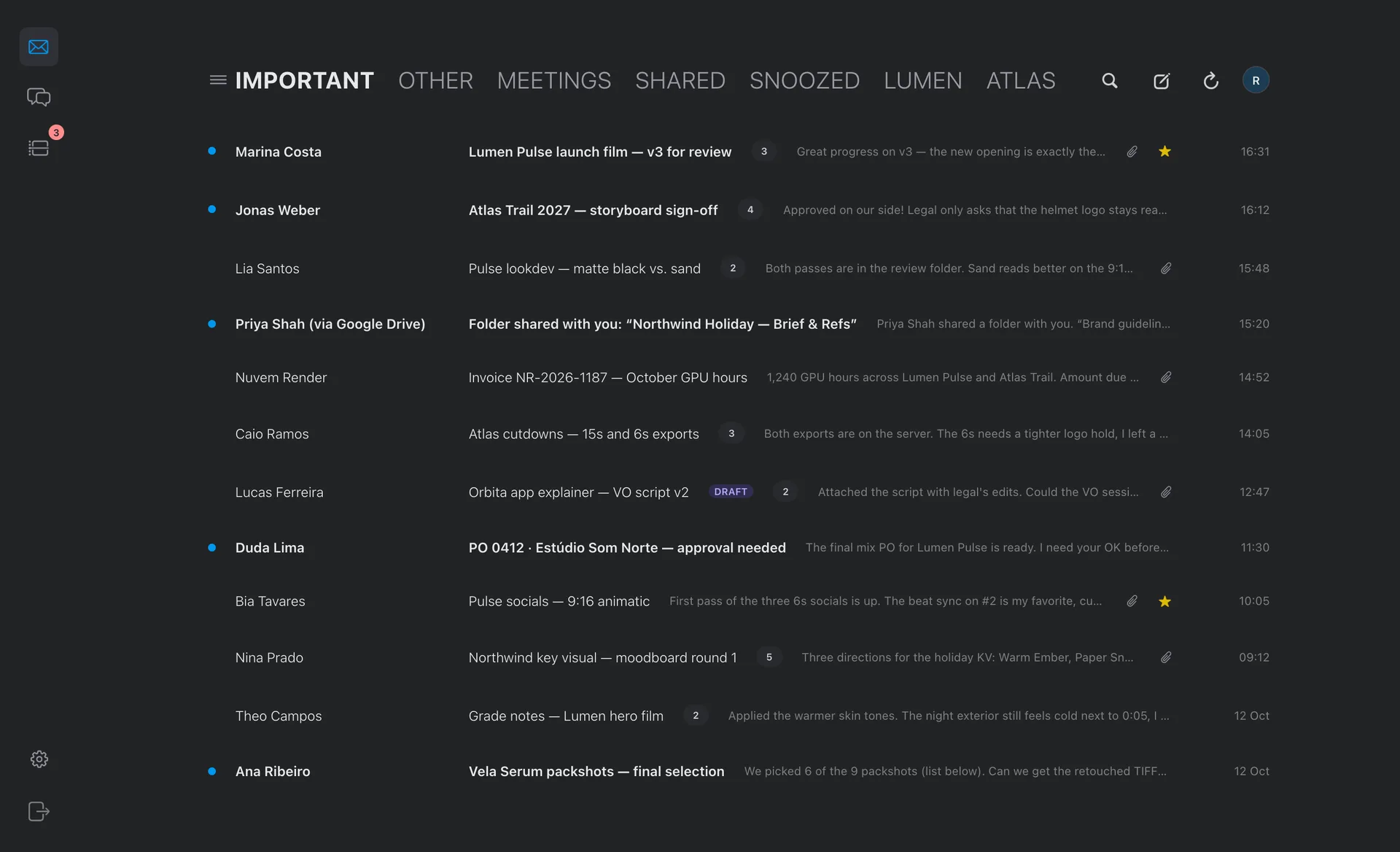
Screens with demo data, from made-up clients.
In six stepsHow it works
- 01InstallDownload Bioma for Mac or Windows. On the Mac, it offers to move itself to Applications.
- 02Sign inWith your Boldo Account, in the browser, the same sign-in as every Boldo app. The link brings you back to the app.
- 03Connect GoogleOne consent covers Gmail and Drive for Bioma, plus Calendar for Bioma MCP. Add more accounts in Settings.
- 04WorkTriage from the keyboard, reply, snooze and save attachments to Drive. New mail arrives in seconds.
- 05Teams and AlinhaSign in to Microsoft inside Teams, and to Alinha with the Boldo Account. Each one in an isolated session.
- 06Bring Claude, if you wantConnect Teams, Monday or Fireflies in Settings › MCP, and add Bioma MCP to Claude.
Features
Where it runs
Security
Bioma keeps, on Boldo's server in Brazil (conecta.boldo.ag): your Google permission, encrypted; a copy of your Gmail labels, threads and messages and of the attachment details, so the inbox opens fast and search works; and a copy of your calendar events, for Bioma MCP.
When you delete or move an email in Gmail, the copy follows. Removing a Google account in Settings › Google removes Bioma's access in your Google Account and deletes its permission and all of its copies, for Bioma and Bioma MCP at once. You can also remove the access at myaccount.google.com/permissions.
Technical details: the Google permissions
gmail.modifyBioma: show your inbox and conversations, search your mail and open attachments; archive, mark, star, label, move, snooze, move to trash or report spam and save drafts, when you do it in the app; and send, reply and forward the emails you write. Bioma MCP: let your Claude search and read your mail when you ask, and create a draft for you to review and send. Bioma MCP never sends email. Neither one permanently deletes email.calendar.readonlyBioma MCP: let your Claude see your calendars and find free time. The Bioma app itself does not show your calendar.calendar.app.createdBioma MCP: create a separate "Boldo · Reminders" calendar and put your Boldo to-dos into its free slots. It only touches that calendar: your other calendars and events are never changed.drive.readonlyBioma: browse your folders when you save an attachment to Drive. Bioma MCP: find and read the files and spreadsheets you ask about.drive.fileBioma and Bioma MCP: save an attachment to the folder you pick, and create a spreadsheet and add rows to it. It only touches files it created.openid · email · profileKnow which Google account you connected, so each mailbox shows up with the right name and photo.