
Calcula
Boldo's in-house finance system: cash, invoices, bills and the accountant.
The cash for the nextsix months
Calcula is the finance system Boldo built for itself. It shows the cash today and a day-by-day forecast for the next six months, so a tight week shows up long before it arrives.
Every morning the bank statement and the invoices issued to Boldo come in on their own, and anything that needs a person lands in one queue, answered with a tap. Calcula issues São Paulo service invoices (NFS-e) directly with the city hall and, at the end of the month, builds the accountant's package and sends it from your own Gmail.
Boldo's partners. Access is granted person by person.
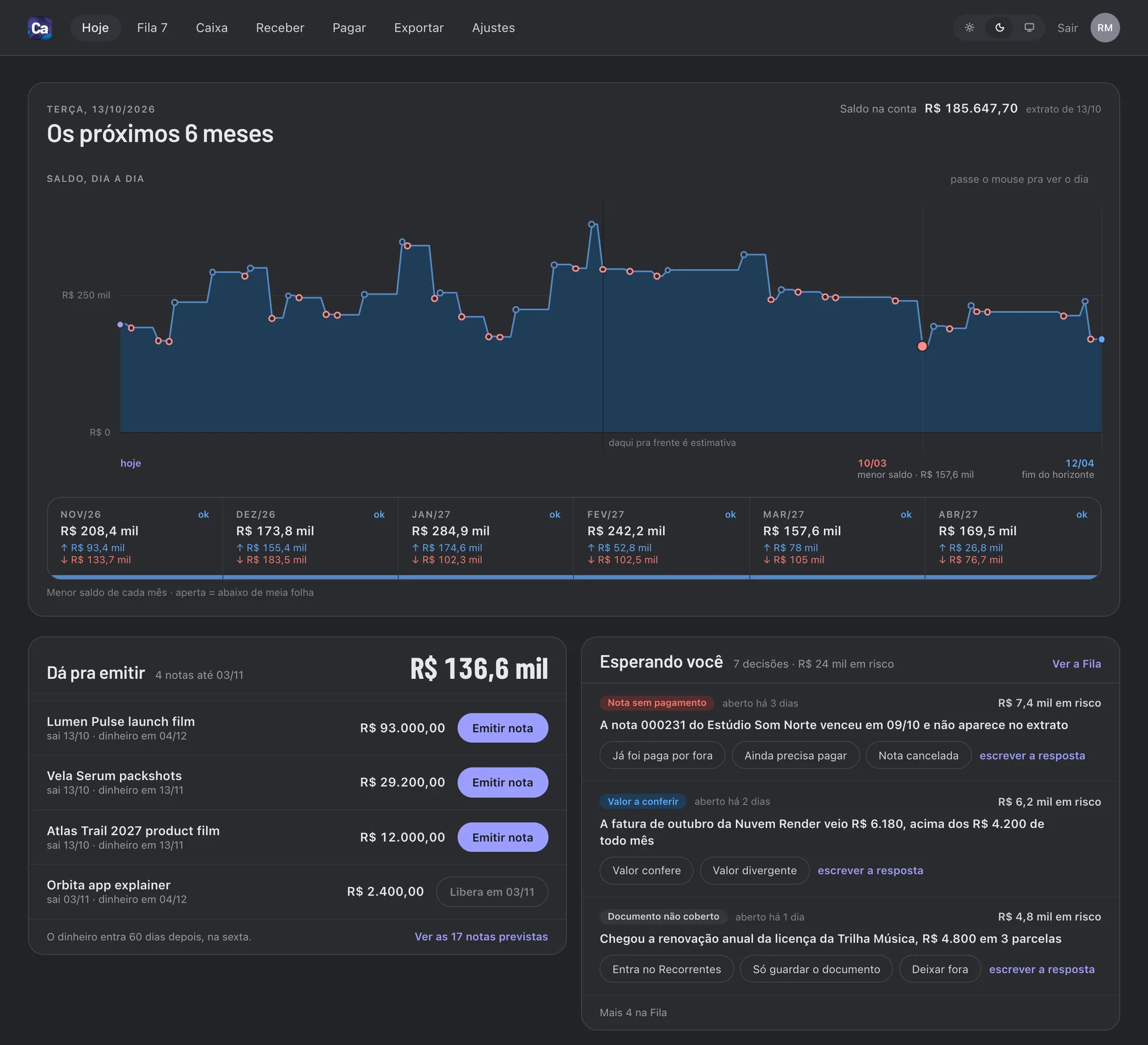
Screens with demo data, from made-up clients.
In six stepsHow it works
- 01Data arrivesThe bank statement and the invoices issued to Boldo come in every morning, and project milestones come from Alinha.
- 02Things get filedBills, purchase orders and quotes are recorded and matched to the statement. Whatever cannot be resolved goes to the queue (Fila).
- 03DecideToday (Hoje) shows the cash, the six-month curve and what can be invoiced. Answer the queue with a tap.
- 04InvoiceWhen a milestone is done, issue the NFS-e in two clicks. The payment is followed until it shows up in the bank.
- 05PayTeam, bills and recurring costs feed the forecast. Calcula prepares a checked PIX code, and a partner approves it in the bank app.
- 06Close the monthCheck what is complete in Export (Exportar), then download the package or send it to the accountant from your Gmail.
Features
Where it runs
Security
Calcula keeps the Gmail permission encrypted on its server and a record of each email it sent (recipients, subject, date and which package went), without the message body.
It reads nothing from your mailbox. Disconnecting Gmail in Calcula deletes the permission and revokes it at Google at the same time.
Technical details: the Google permissions
gmail.sendThe "Send to accountant" button (Mandar pro contador) emails the month's package from your own Gmail address, after a confirmation step, so it lands in your Sent folder. Calcula only sends when you click, and it cannot read your mailbox.